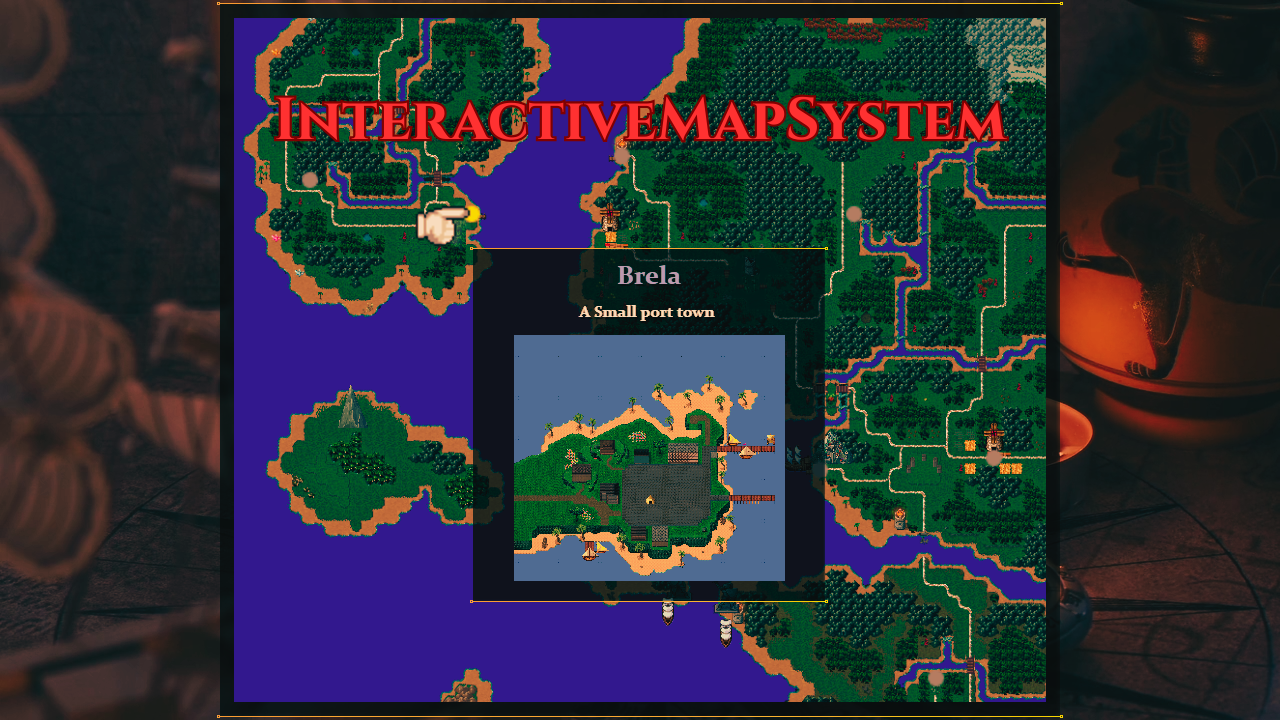
Para_InteractiveMapSystem
This plugin adds a minimap system that provides a professional HUD and a fully interactive, full-screen Mega Map scene.
Features:
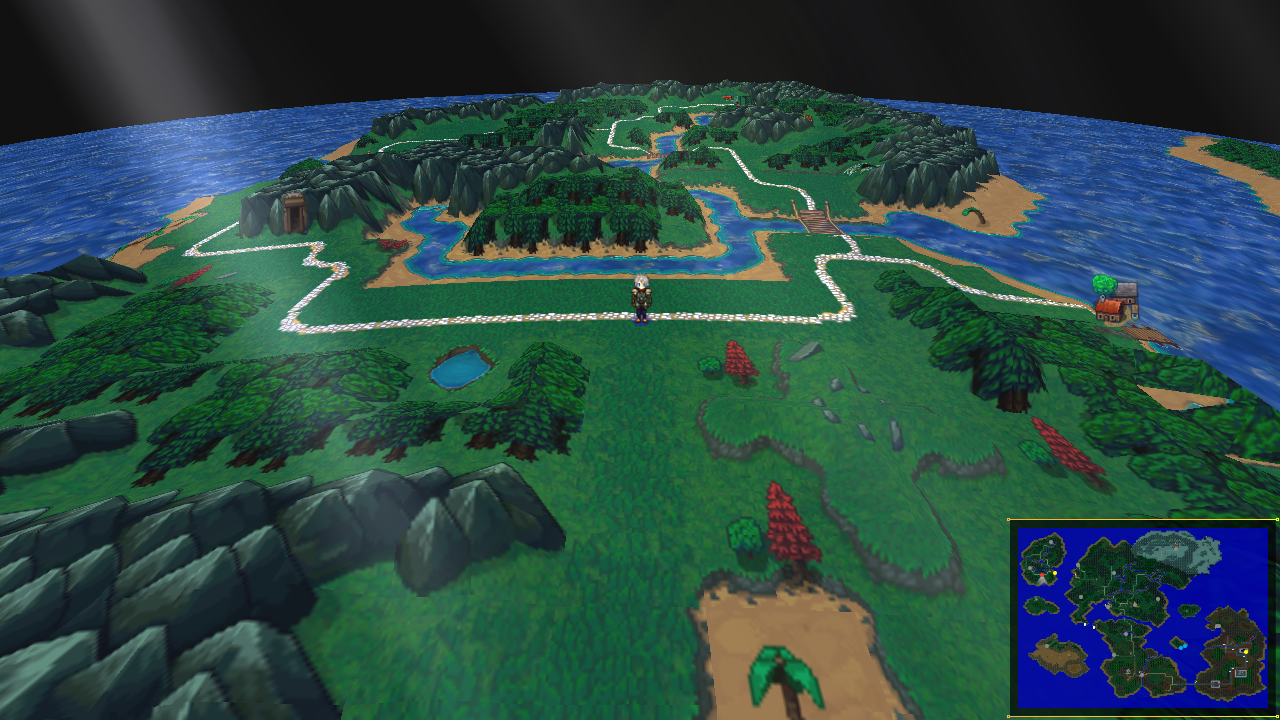
🧭 Minimap
A sytlish minimap that lives in the corner of your screen .
- Dynamic Toggle System: Players can cycle through Small (minimap), Large (minimap), or Hidden states with a single keypress.
- Vision Cone: A direction-indicator that glows.
- Flexible Styles: Supports both standard rectangular maps and a tracking Circular Radar style.
- Fog of War: Maps can start pitch black and reveal themselves as the player explores, rewarding discovery and completionists.
🗺️ The Big Map Scene (Mega Map)
An interactive map experience that works on every map in your game. Unlike static images, this scene renders live event data and player position.
- Interactive POIs: Hover over icons to see a location's name, a unique description, and a preview image.
- Full Navigation: Supports smooth mouse-panning, scroll-wheel zooming, and keyboard-based scrolling.
- Optional Fast Travel: Once a location is "Explored," players can simply click the icon to teleport there instantly. (For Overworld maps etc.)
- Seamless Integration: Cycle directly from the HUD states into the full Mega Map scene using your designated map key or use a item.
⚡ Plug-and-Play Setup
- Automatic Coordinate Logic: Forget manual tracking and variables. The plugin automatically calculates the player's position, event locations, and movement vectors across your custom map images. Whether your map is 20 x 20 or 200 x 200, the math is handled for you.
- The "Save as Image" Workflow: Use MZ’s built-in "Save as Image" feature on your map list (right-click the map name), save the file to
img/pictures, and the plugin handles the rest.
- Automatic Terrain: If you don't have custom art yet, the plugin can automatically render terrain blocks based on your map’s passability.
- Doodad Compatible: Fully supports VisuStella Doodads—your decorative map assets will appear on the UI layer.
💡 Optimization Tips For Best Quality:
I recommend exporting your maps at a 1:1 scale for the best quality with no blur.
If your map is massive, the 1:1 export might result in a large file size. I highly recommend compressing your images (using tools like TinyPNG or OptiPNG) before putting them in your project to keep loading times fast and performance smooth!
🏷️ Notetags
Map Notetags
Place these in the Map Properties > Note box.
<minimap>: Enables the HUD for this map.<circleMap>: Crops the HUD into a circle. Use<circleMap: 2.5>to define a custom zoom level.<mapImage: filename>: Uses a picture fromimg/pictures/as the map graphic.<fog>: Forces Fog of War to be active on this map.<noZoom>: Disables the scroll-wheel zoom in the Mega Map scene.
Event Notetags
Place these in the Event Note box or within a Comment on the active page.
<megaName: Text>: The name shown in the Mega Map info window.<megaDesc: Text>: The description shown in the Mega Map info window.<megaImg: filename>: The preview image shown in the Mega Map info window.<minimapEvent: #color>: Draws a custom colored dot (e.g., #ff0000 for red).<mapSprite>: Draws the event's actual character graphic instead of a dot.<minimapScale: 1.5>: Scales the event's sprite on the map UI only (1.5 = 150% size).<norender>: Completely hides the event from all map UI.<nodot>: Hides the colored dot but still allows the<mapSprite>to show.<fasttravel>: Manually allows fast travel to this event.<explored>: Forces this point to be revealed and travelable immediately.<dotOffsetX: pixels>/<dotOffsetY: pixels>: Fine-tune the position of the icon on the UI.
📜 Terms of Service & Support
By purchasing this plugin, you agree to the following:
- Usage Rights: You may use this plugin in an unlimited number of commercial or non-commercial RPG Maker MZ projects.
- No Redistribution: You may not redistribute, resell, or share the source code of this plugin, even if modified.
- Attribution: Credit is appreciated but not required (Credit: Paradajz).
- Technical Support: Your purchase includes 1 Year of Technical Support. This covers bug fixes and assistance with initial setup. Support does not include extensive custom feature requests or modifications to work with unsupported third-party engines.
Purchase
In order to download this tool you must purchase it at or above the minimum price of $3.74 USD. You will get access to the following files:
Comments
Log in with itch.io to leave a comment.
This actually looks sick as hell thank you!